AI: Magic Wand Tool & Lasso Tool

Posted by: Ping

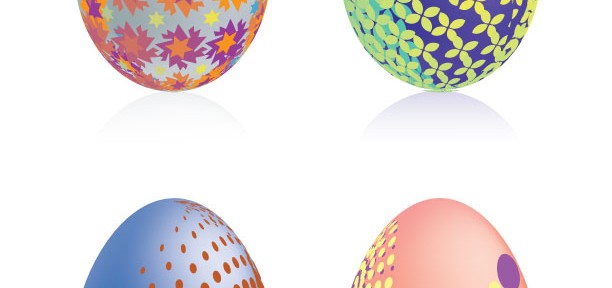
Other than using the selection tool (V) and the direct selection tool (A), Illustrator provides other tool functions, such as magic wand tool and the lasso tool, to select objects. Magic Wand Tool (Y): When you select multiple elements at a time, magic wand is a very useful tool. It allows you to select multiple […]
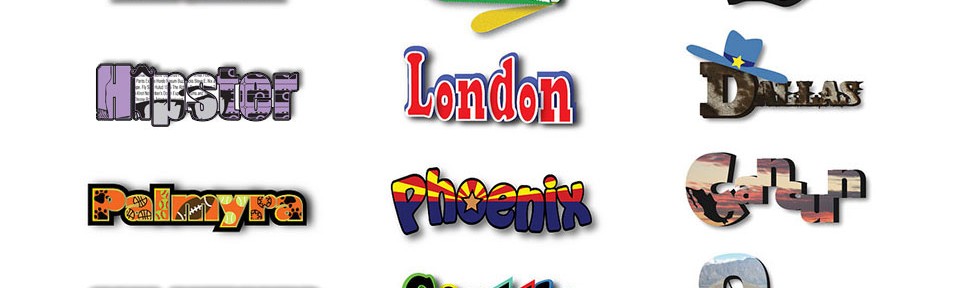

Project-2 Student Work_A-201

Posted by: Ping

Project-2: Magnet Design_Selected Student Works (Art-201 / Fall 2012) Tori Allen | Hannah Savard | Katie Danforth | John Taszarek | Olivia Brady | Alexandria Petigna Ling-chuan Chen | Zhaoli Ge | Stella Yu | Samantha Adams Jeanette Dailey | Kelsey Schmidt | Sarah Moore Student Rating: 1st.: Sarah Moore’s Phoenix Magnet 2nd.: Zhaoli Ge’s […]

A-201 Demo: 3D Text

Posted by: Ping

In this demonstration, let’s take a look the 3D capabilities in Photoshop CS6 1. Open the “3d-text.psd” you created, and click layers to Convert to Smart Objects 2. 3D > New 3D Extrusion from Selected Layer 3. You may adjust the Extrusion Depth, and each axis (X, Y, and Z) • Checkout more tutorials about […]

A-201: Modifying Letterforms
in Photoshop CS6

Posted by: Ping

1. Cmd N to create a new file (11X5, Resolution: 300, BG: White) 2. Type OHIO by using Type Tool, (Window > Character: Arial 200 pt, yellow) 3. Choose Shape Tool (with Custom Shape Tool) 4. With selecting the custom shape tool, find a shape, drag the new shape above letter O 5. Cmd J […]

P1–Student Work_A-201 / Fall 2012

Posted by: Ping

Art-201 / Project-1_Selected Student Works Top Three – Student Rating: 1st.: Zhaoli Ge 2nd.: Jeeju Jung 3rd.: Ling-chuan Chen Online Presentation: http://www.flickr.com/photos/_pxstudio/galleries/72157631562765341/with/7986559875/#photo_7986559875

Illustrating Words
in Photoshop CS6

Posted by: Ping

Today’s demonstrations: • How to combine type and shape (Photoshop) • How to insert pictures into type (Photoshop) • How to modify letterforms (Photoshop CS6 • How to drop a shadow for text (Photoshop) • How to add a stroke for text (Photoshop) • How to emboss the type (Photoshop) • How to apply an […]

A-341 Demo: Explode

Posted by: Ping

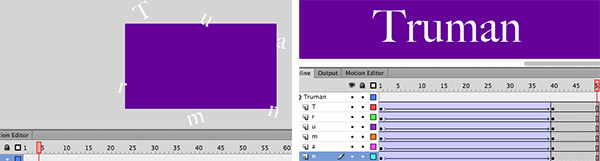
1. Cmd N, and choose purple as the bgcolor 2. Rename the layer “Truman“, and type Truman on the stage (white Time 80 pt.) 3. Select the text: Modify > Break Apart or Cmd B, to break the text to 6 individual boxes 4. Click the layer Truman to select all text boxes: Modify > Timeline […]

A-341 Demo:
Echo Animation in Flash CS6

Posted by: Ping

Echo Effect / Phase-I 1. Cmd N, and save the file to “echo.fla” 2. Choose the Type Tool to type “VISCOM 2012” and make sure Classic Text / Static Text / Anti-alias for animation are selected in Properties panel before typing. 3. Choose the bgcolor to purple and type color to white 4. Cmd K […]

ADDY Awards 2007-2008 Award Winning Entries

Posted by: Ping

Award Winning Entries / American Advertising Federation – ADDY Award Professional (AAF Gulf-Coast) ADDY Award 2008 Pro (AAF-MS): “Night Fall” (Digital Illustration)Art Director & Graphic Designer: Ping Xu ADDY Award 2008 Pro (AAF-MS): “Cross Connections ’09” Exhibition LogoArt Director & Graphic Designer: Ping Xu ADDY Award 2008 Pro (AAF-MS): “Cross Connections ’09” Exhibition PosterArt Director […]

Study Abroad Trip to China
::: Summer 2013 :::

Posted by: Ping

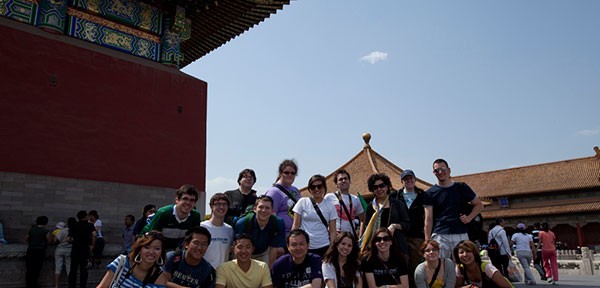
A group photo in Forbidden City, Beijing. Eighteen Truman students, including seven art department students, joined Study Abroad trip to China in summer 2011. Study Abroad Trip to China – Summer 2013 – Detailed Itinerary: PDF | Word Truman’s Study Abroad Program would like to invite you to join the study abroad trip in China. […]