Attention to all lab monitors_Fall 2012

Posted by: Ping

Reading and understanding the Lab Monitor Responsibility and Expectation document is required for all lab monitors. Especially, this document is very important for those lab monitors who are new to the team. The detailed item-by-item helps you know what is your duty when you take working shifts and when your shift is done. If any […]


A-201 Demo : Tracing Image

Posted by: Ping

If your client bring a hand drawing sketch or some art works to you to create, and they want the new art work to match the sketch exactly the same, live trace will be the right way to go. Let’s prepare a good quality sketch, scan it, and get it ready for live tracing. You […]

Motion Tweens & Multiple Shape Tweens

Posted by: Ping

Today’s demos: 1. Animating gradient background 2. Animating symbol 3. Motion Tween and Classic Tween 4. Shape Tween 5. Multiple Shape Tween 6. Explode Text 7. Registration Points

What is the difference between Shape, and Motion / Classic Tweens?

Posted by: Ping

A Motion Tween animates symbols moving in space; when you create a motion tween, then you can click on any frame in the tween, move the symbol on that frame, and watch Flash automatically build a motion path animating the frames between that frame and the next keyframe. Any frame where you’ve manually moved the […]

A-421/VisCom IV_Fall 2012
Project-1A: AIGA Magazine

Posted by: Ping

A magazine unlike a book is a “warehouse” of texts, produced by editors, designers and advertisers, it creates an environment of truly mixed speech. Because of this collaboration and multiple voices, magazines can represent a strong challenge. The key for your magazine will be how can you create your idea, interest, format, and architecture, how […]

A-201_Project-1: Easter Egg
A-201_Project-2: Magnet Design

Posted by: Ping

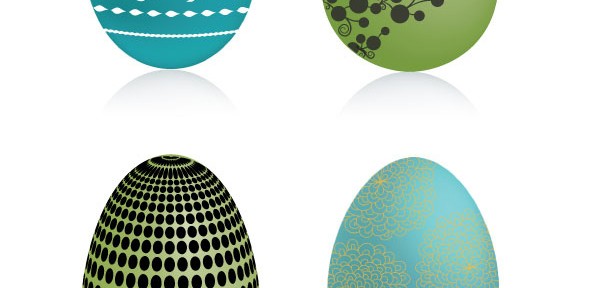
Project-1: Easter Egg Objective: Utilize Adobe Illustrator CS6 to create four Easter Eggs. Carly Robison Jordan Tremain About the first project, let’s begin the process step by step: 1. Finding your inspirations, and starting your brainstorming • You may manipulate a photo or other images, but have to trace the photo elements in Illustrator 2. […]