A-201: Things to do today

Posted by: Ping

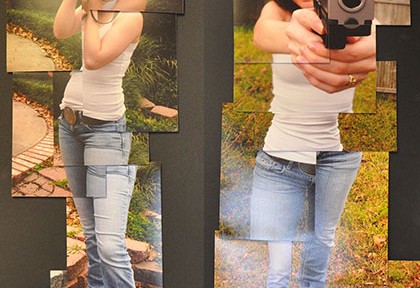
In today’s class, I am going to check everyone’s working process of the collage project and would like to give help for technical problems solving if you have. After the class break, we will begin to do our second photoshop project – photomontage. Please check out the detailed brief of photomontage project on the blog. […]

A-201 Photoshop Demo: Replace Color

Posted by: Ping

1. Open the file “car-color.psd”, 2. Get a new adjustment layer for Hue/Saturation, and rename it as “red2gold” 3. Double click the layer thumbnail icon to bring up the Hue/Saturation up 4. Change the “Master” to “Red” as we only need change the red color, so don’t change the all Hue values 5. Click the […]

A-201: Image Resource for Your Project

Posted by: Ping

1. Shoot pictures by using DSLR cameras 2. Scan high res images, then retouch 3. Explore stock image sites online • http://www.fotolia.com/deke • http://www.istockphoto.com • http://www.dreamstime.com 4. Explore Flickr, and contact the author if you want to use the particular picture Homework: • Prepare / shoot pictures for your projects. You don’t need to show […]

A-201 Project-4: Digital Collage

Posted by: Ping

Project Description: Creating a digital collage in Adobe Photoshop CS6 Project Objective: Identifying a motif and showcasing your Photoshop capabilities by using image editing and retouching Project Theme: Working on a theme that interests you Project Requirement: Completing a single composite collage-style image by putting together at least six separate photographs, scanned objects or graphic […]

A-201 P3: Conceptual Vector
::: Selected Student Works :::

Posted by: Ping

A-201 Project-3: Conceptual Vector Project Description: Creating a conceptual image in Adobe Illustrator CS6 Project Requirement: Picturing and illustrating a montage with gradient mesh & 3d effect Student Rating: 1st: Zhaoli Ge 2nd: Jeannie Dailey 3rd: Kelsey Schmidt Online Presentation: http://www.flickr.com/photos/_pxstudio/galleries/72157631745593023

A-341 Project-2: Type in Motion
::::: Selected Student Works :::::

Posted by: Ping

Project Description: Creating a 30 seconds kinetic typography in Flash CS6 Project Requirement: Enabling Words to Mimic Verbal Meaning, Visually and Kinetically http://www.flickr.com/photos/74186846@N08/8074671304/in/pool-1979746@N25/ http://www.flickr.com/photos/87669770@N08/8074718187/in/pool-1979746@N25/ Student Rating: 1st: Adam McMichael 2nd.: Tim Cooper 3rd.: Ashley Buhmann Project Pool: http://www.flickr.com/groups/1979746@N25/ Presentation: http://www.flickr.com/photos/_pxstudio/galleries/72157625939673513/with/5449051244/#photo_5449051244

TSU Study Abroad China 2010 & 2011

Posted by: Ping

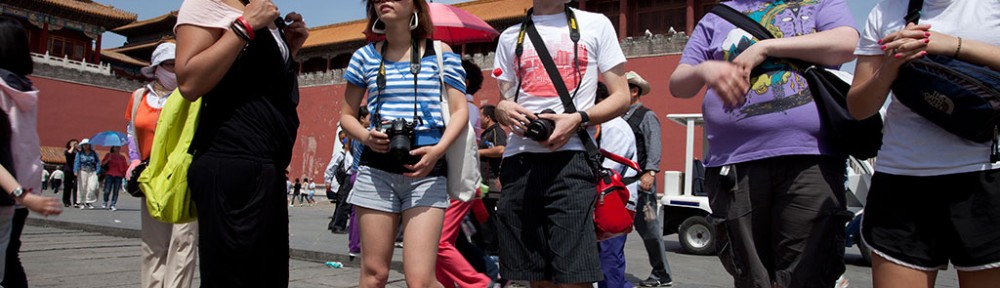
Study Abroad Trip to China – Photo Album – Summer 2010 & 2011 Photograph by: Ping Xu https://www.flickr.com/photos/_pxstudio/albums/72157626882852238 Detailed information and Itinerary Program Director: Prof. Julie Minn, MC-319, (660) 785-6015, jminn@truman.edu Adviser in Art Dept.: Prof. Ping Xu, OP-1231, (660) 234-5558, pingxu@truman.edu Adviser in Business Dept.: Dr. Lin Zhang, VH-2434, (660) 785-4365, linzhang@truman.edu Center for […]

A-201: Image Quality & Quality Control

Posted by: Ping

Quality control is a critical step in the process of producing digital images. The detailed technical specification is varied. The image resolution for a print based project should be set at least 200 dpi in the CMYK model (300 dpi for industry standard). If the project goes for a web based, the image resolution should be […]