Protected: A-421 Project-2E: MonaVie Website | Group Project / Student Work

There is no excerpt because this is a protected post.
There is no excerpt because this is a protected post.

There is no excerpt because this is a protected post.

There is no excerpt because this is a protected post.
http://www.flickr.com/photos/74186846@N08/8265306058/in/pool-pxstudio_motion-graphics/ Technology: After Effects CS6 Project Description: Create a series of two animations, with two compositions, that work together as a single time-based piece, visually examining the structural and historical differences between your choice of two typefaces. Project Requirement: Animations should be sequential (old typeface to the recent), and each should capture and express the […]
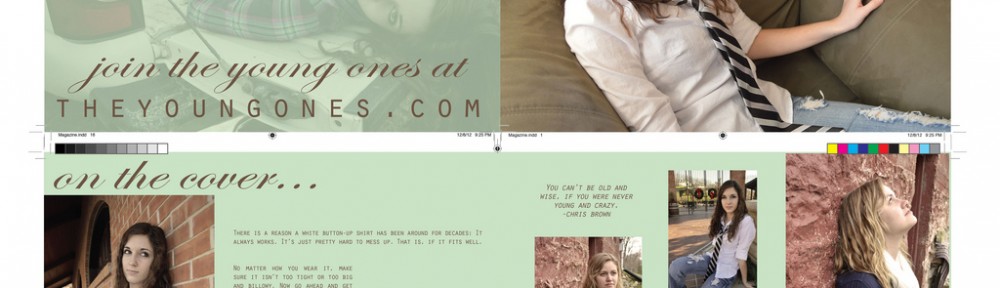
Project Description: Design a multi-page booklet in Adobe InDesign CS6 Student Rating: 1st: Sammantha Admas’s booklet Zhaoli Ge’s booklet Jeanette Dailey’s booklet 2nd: Kelsey Schmidt’s booklet Project Pool: http://www.flickr.com/groups/pxstudio_indesigning/
Mask Effect 1. File > Import > Import to Stage to get “sideMountain” file onto the stage. 2. Rename the Layer 1 “mountain” 3. Lock the mountain layer, and add a new layer > rename it xboarding. (make sure the xboarding layer above the mountain layer) 4. Drag an instance of the symbol to stage […]
Dear students and lab monitors: The OP building computer labs will be closed from 12/12 to 1/ 13, 2013 in observance of the winter break and Christmas holiday. The lab hours will be finished at 11:59 p.m., Dec. 10, then resume at 5:00 p.m. on Tuesday, January 15, 2013. Lab monitors: Please submit your time-card […]
There is no excerpt because this is a protected post.
Project-8: A Character Walk (15 seconds flash animation) Project Description: Design a character and make a walk that would describe an emotional thought Project Size: 550 X 400 Frame Rate: 28 FPS Date Range: December 5 ~ 10, 2012 Due Day: December 10, 2012 (Final Exam Day) Class Meet on Final Exam Day: 3:30 p.m. ~ […]

Adobe Flash Professional CS6 software is a powerful authoring environment for creating animation and multimedia content. Design immersive interactive experiences that present consistently across desktops and multiple devices, including tablets, smartphones, and televisions. Let’s begin the program introduction Creating a correct document type Getting to know Flash Interface Working with panels and workplaces Adjusting document […]