Protected: Project-4 : Typographic Evolution : Classifications in Motion / Art-341_Motion Graphics | Fall 2014
There is no excerpt because this is a protected post.
Protected: Creating a shining effect & optical flare | A-341 Motion Graphics
There is no excerpt because this is a protected post.
Alternate Composing | Art-202
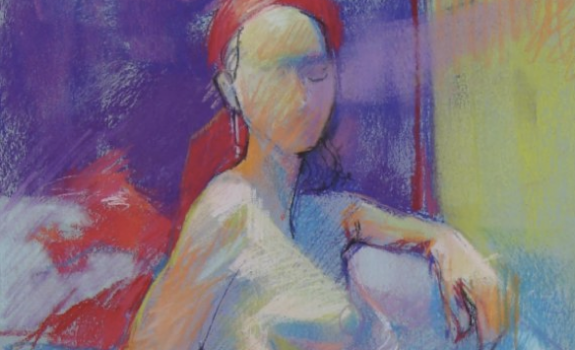
Alternative Ways to Compose Composing without cropping with the edge and selective completion as a means of composing: http://pxstudio.us/powerpoint/alternate-composing.pptx Generally, most figure studies either include the entire figure with minimal activity in the ground, or… The edge crops the figure for its abstract potential
Art-341 Project-2 : Type As Image Student Work | Fall 2014
http://vimeo.com/107628385 http://pxstudio.us/student-work/motion-graphics/type-img Project-2: Type As Image (30 seconds kinetic typography in Flash) Technology: Adobe Flash CC Resolution: 640 X 360 (Standard Definition/16:9 aspect ratio) Duration: 30 Seconds or more Frame Rate: 30 FPS Video Codec: H.264 Audio Codec: AAC-LC (Advanced Audio Codec) / 48 kHz Student Peer Rating 1st 2nd 3rd Joe Wright’s Project Henry […]
Homework: Practice “PASTR” shortcuts, and animate objects
Art-341 Homework for the weekend: Oct. 4-5 Homework-1: Create an object in Illustrator Import the AI element into the After Effects’s project panel Drag it into the timeline Animate the object by using keyframe shortcuts A and P, and edit / adjust the motion path Practice “PASTR” shortcuts, and animate the object with Scale, Opacity, […]
Basic Animations and Simple Effects in After Effects | Art-341
Today’s demonstrations: 1. Animate position in time and space • Open the exercise file “03-Example Project.aep” from 03-Basic Animation folder _open the first example composition Ex01_starter • Animate the object / position • Edit the motion path _the default keyframe type in the comp panel is Auto Bezier. Its role is to create a smooth […]
After Effects CC-Keyboard Shortcuts
After Effects CC 2014 – Keyboard Shortcuts Cmd Key Shortcuts Tool Bar Shortcuts Keyframe Shortcuts (PASTR) Cmd A: Select All / F2: Deselect All V: Selection Tool P: Position Cmd D: Duplicate H: Hand Tool A: Anchor Point Cmd F: Find in Project Panel Z: Zoom Tool S: Scale Cmd J: Full Resolution W: Rotation […]
Protected: Review Questions About Composition & Timeline | Art-341
There is no excerpt because this is a protected post.
Adobe After Effects – Get Started
Adobe After Effects is a digital motion graphics and compositing software published by Adobe system. After Effects is primarily used for creating motion graphics and visual effects. Used in the post-production process of filmmaking and television production, After Effects allows users to animate, alter and composite media in 2D and 3D space with various built-in […]